 Haaland Has Seven Goals and Norway Runs Entirely Through Him
⚽️2026 FIFA WORLD CUP
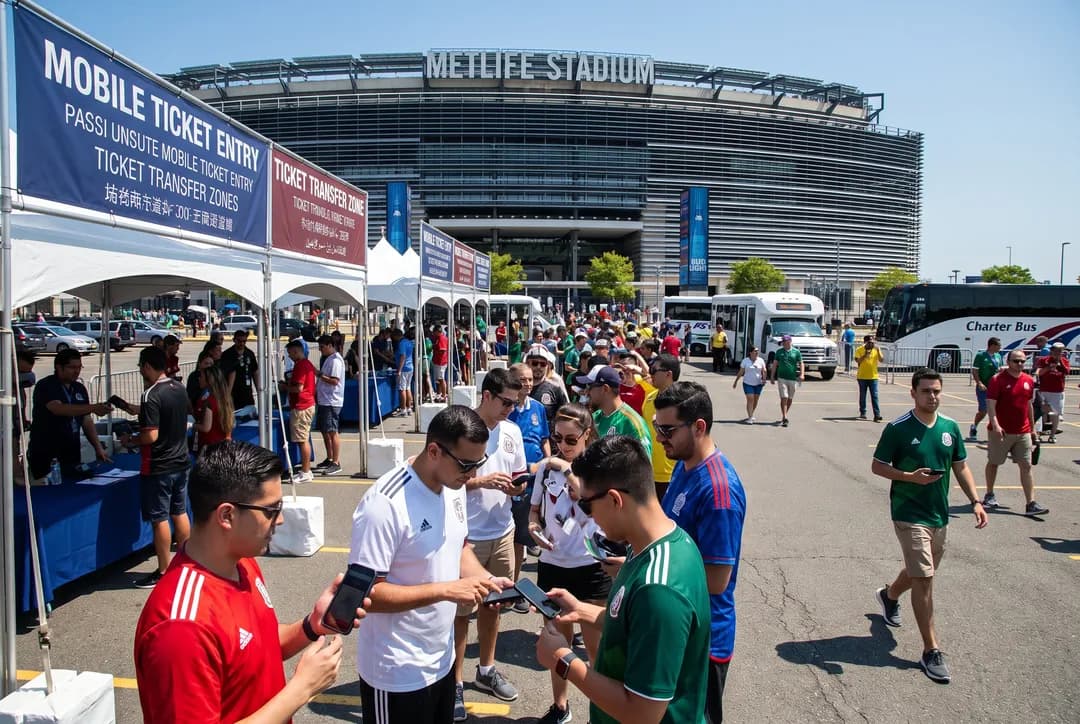
World Cup Final Ticket Transfer and Mobile Entry Guide
FIFA's mobile-only ticketing system for the 2026 World Cup Final at MetLife Stadium requires advance preparation, secure transfers, and careful attention to dynamic barcodes. Understanding the official process protects fans from scams and ensures seamless entry on match day.
The 2026 FIFA World Cup Final at MetLife Stadium in East Rutherford will welcome more than 82,000 fans through a fully digital ticketing system that eliminates paper tickets entirely. Every attendee must present a mobile ticket with a dynamic barcode through the official FIFA Ticketing app or compatible mobile wallet, a shift designed to reduce fraud and streamline entry but one that requires advance preparation. Whether you're receiving a transferred ticket from a friend, purchasing through the official resale platform, or managing tickets for a group, understanding the mobile entry workflow prevents last-minute stress and protects you from the counterfeit schemes that proliferate around marquee events.
Planning your World Cup Final experience involves more than securing a ticket—you'll need a strategy for transit, parking, pre-match dining, and contingency plans if your phone battery dies or service falters. Text Karpo for a personalized match-day plan that covers MetLife Stadium entry points, nearby charging stations, backup ticket access options, and neighborhood spots to celebrate or commiserate after the final whistle. We'll help you build a timeline that accounts for security queues, credential checks, and the logistics that turn a ticket into an unforgettable experience.
Official Ticket Purchase and Account Setup
All legitimate World Cup Final tickets originate from FIFA's official ticketing platform, accessible at fifa.com. Buyers must create a FIFA account with verified identity information, including full legal name matching a government-issued ID, email address, and phone number. FIFA operates sales in phases—random-selection draws, first-come-first-served windows, and a last-minute sales period—with strict limits on quantities per household to prevent hoarding. Payment occurs through the FIFA portal using major credit cards, and confirmation arrives via email with instructions to download the FIFA Ticketing app, available for iOS and Android devices.
Once tickets are allocated, they appear in your FIFA account dashboard but remain non-transferable until FIFA activates the transfer window, typically several weeks before the match. This delay prevents early resale speculation. Your account dashboard shows ticket status, transfer eligibility dates, and mobile wallet compatibility. Fans should verify that their smartphone operating system meets minimum requirements—generally iOS 13 or Android 8 and above—and that location services and push notifications are enabled, as these features support barcode refresh and entry validation.
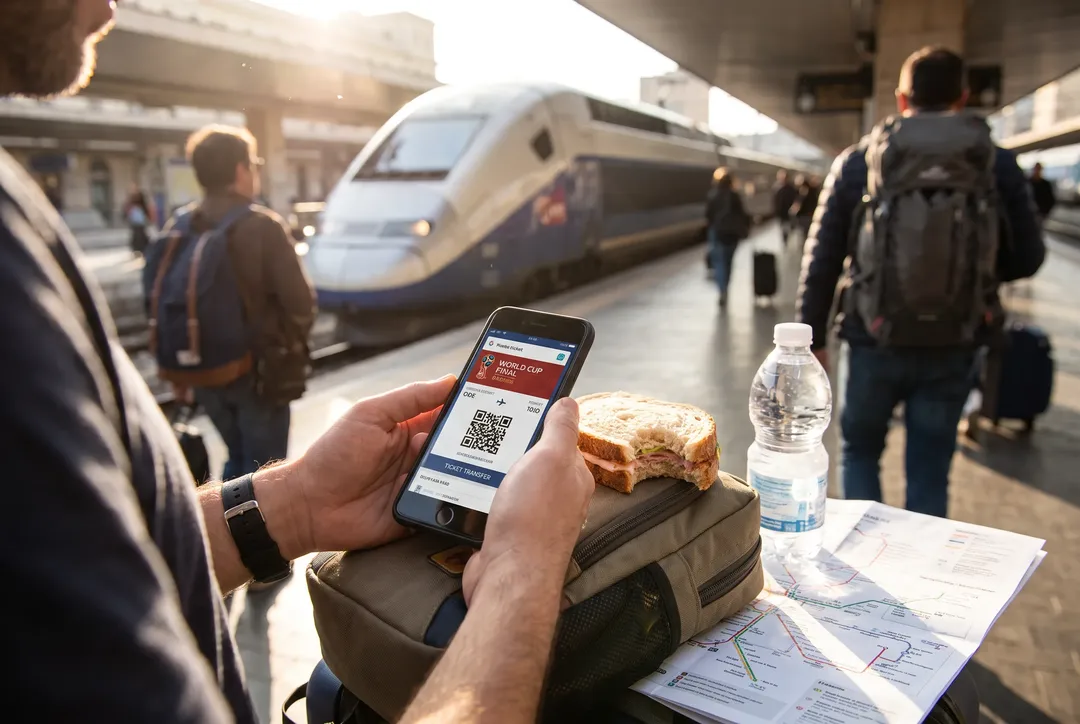
How Ticket Transfers Work
FIFA's transfer system allows ticket holders to reassign tickets to friends or family without meeting in person or exchanging physical items. The original purchaser logs into the FIFA Ticketing app, selects the ticket to transfer, and enters the recipient's email address and full name exactly as it appears on their identification. The recipient receives an email invitation with a secure link and a deadline to accept the transfer, usually 48 to 72 hours. Acceptance requires the recipient to have their own FIFA account; if they lack one, they must register before claiming the ticket. Once accepted, the ticket disappears from the sender's account and appears in the recipient's app, completing the handoff.
Transfers are final and cannot be reversed without contacting FIFA customer service, a process that may take days and offers no guarantee of resolution. This finality underscores the importance of confirming recipient details before initiating a transfer. FIFA does not charge fees for peer-to-peer transfers, distinguishing its system from secondary marketplaces. If you cannot attend and wish to recoup your investment, FIFA operates an official resale platform where you list your ticket at face value; the platform reassigns it to a buyer from the waiting list and refunds your original payment minus a service fee. Tickets sold outside FIFA's ecosystem—through social media, unofficial websites, or street vendors—carry high risk of being counterfeit or already canceled.
Adding Tickets to Your Mobile Wallet
After a ticket appears in your FIFA Ticketing app, you can add it to Apple Wallet or Google Pay for faster access at stadium gates. Open the app, select your World Cup Final ticket, and tap the wallet icon; the app generates a pass compatible with your device's native wallet application. The pass includes match details, seat location, entry gate, and a barcode placeholder that updates dynamically as match day approaches. Storing the ticket in your mobile wallet allows you to access it without opening the FIFA app or requiring an internet connection at the moment of scan, though the initial addition and periodic updates do require connectivity.
Mobile wallet integration does not replace the FIFA Ticketing app; it offers redundancy. If your wallet pass fails to load or the barcode appears static, stadium staff can verify your ticket through the FIFA app itself. Both methods pull from the same backend, so you cannot use a wallet pass and app ticket simultaneously to admit two people with one purchase. The wallet pass updates automatically when connected to Wi-Fi or cellular data, refreshing the barcode to match FIFA's validation servers. Fans should open the wallet pass at least once in the 24 hours before kickoff to ensure the latest barcode version is cached on the device.

Understanding Dynamic Barcodes
World Cup Final tickets use dynamic barcodes that change every few minutes, a security measure that renders screenshots and static images useless at entry gates. The barcode visible in your FIFA app or mobile wallet is generated in real time by communicating with FIFA's servers, creating a unique pattern that expires and regenerates continuously. This rotation prevents someone from photographing your screen and using that image to enter before you do. Stadium scanners verify not only the barcode pattern but also the timestamp and device signature, ensuring the ticket is being presented on the authorized account holder's phone.
Because the barcode is dynamic, you must have your phone powered on and the FIFA app or wallet pass accessible when you reach the gate. A screenshot saved to your photo library will show an outdated barcode that scanners reject. Similarly, printing a static image of the ticket or displaying it on a second device logged into your account will fail. If your phone dies, you'll need to find a charging station—MetLife Stadium provides limited charging kiosks, but lines can be long—or visit the box office with government-issued ID matching your FIFA account to request a backup credential. Planning for battery life, carrying a portable charger, and enabling low-power mode during transit are practical steps to avoid this scenario.
Why Screenshots and Printouts Fail
Many fans accustomed to older ticketing systems instinctively screenshot their mobile tickets as a backup, unaware that this practice is ineffective with dynamic barcode technology. A screenshot captures only a single frame of a constantly changing code, and by the time you reach the gate, that code has expired and been replaced by a new one. Gate agents and automated scanners cross-reference the barcode with FIFA's live database; if the code doesn't match the current valid pattern, entry is denied. This system eliminates a common fraud tactic where scalpers sell the same screenshot to multiple buyers, each believing they hold a legitimate ticket.
Printouts face the same limitation. Even if you print a high-resolution image of your ticket, the barcode on paper is static and will not match the live code required for entry. FIFA explicitly prohibits paper tickets for the 2026 tournament, and MetLife Stadium gates are not equipped to process them. The shift to mobile-only entry also allows FIFA to track ticket usage in real time, flagging duplicates or canceled tickets instantly. If you're uncomfortable relying solely on your phone, the best backup is to ensure a trusted companion in your group has the FIFA app installed and logged into their own account, so they can assist with troubleshooting or contact FIFA support if needed.
Recognizing and Avoiding Ticket Scams
Scammers exploit the high demand and unfamiliarity with mobile ticketing by offering World Cup Final tickets through unofficial channels at seemingly attractive prices. Common schemes include fake websites that mimic FIFA's design, social media sellers requesting payment via wire transfer or cryptocurrency, and fraudulent listings on general-purpose marketplaces. These sellers may provide screenshots of legitimate-looking tickets, but because those images contain expired barcodes, buyers discover the fraud only when denied entry. FIFA does not authorize any third-party ticket sellers for the World Cup Final; the only legitimate sources are the official FIFA platform and its sanctioned resale marketplace.
Protect yourself by verifying that any ticket purchase or transfer occurs through fifa.com and that the ticket appears in your own FIFA account before you pay. Never send money to individuals who promise to transfer a ticket later, and avoid deals that bypass the official transfer system. If someone offers to meet you at the stadium and scan you in using their phone, recognize that this arrangement leaves you with no recourse if they don't appear or if the ticket has been canceled. Legitimate transfers generate an email from FIFA's domain, and the ticket will be visible in your app before match day. When in doubt, contact FIFA's customer service through the official website rather than relying on contact information provided by a seller. The inconvenience of missing out on a questionable deal is minor compared to the cost and disappointment of arriving at MetLife Stadium with a worthless ticket.
Tags: #WorldCup2026 #MetLifeStadium #FIFATickets #MobileTicketing #NewJersey #TicketTransfer #ScamPrevention #SportsTravel
Sources consulted: FIFA World Cup 26 tickets · MetLife Stadium
All trademarks are the property of their respective owners.
Ask Karpo First
Navigating MetLife Stadium's entry protocols, managing group tickets across multiple devices, and planning contingencies for connectivity or battery issues can feel overwhelming when you're trying to focus on the match itself. Text Karpo for a step-by-step match-day guide tailored to your seat location, arrival method, and group size—we'll map out gate assignments, nearby amenities, and backup plans so you can enjoy the World Cup Final with confidence.
Ask Karpo for more information.
Keep reading
- Haaland Has Seven Goals and Norway Runs Entirely Through Him
 World Cup Trophy Ceremony Timing Medals and Postmatch Celebrations
 Olise and France's Attack: The Semifinal Tactical Question