 Vintage Clothing Store in Greenpoint: Beacon's Closet
Back To School
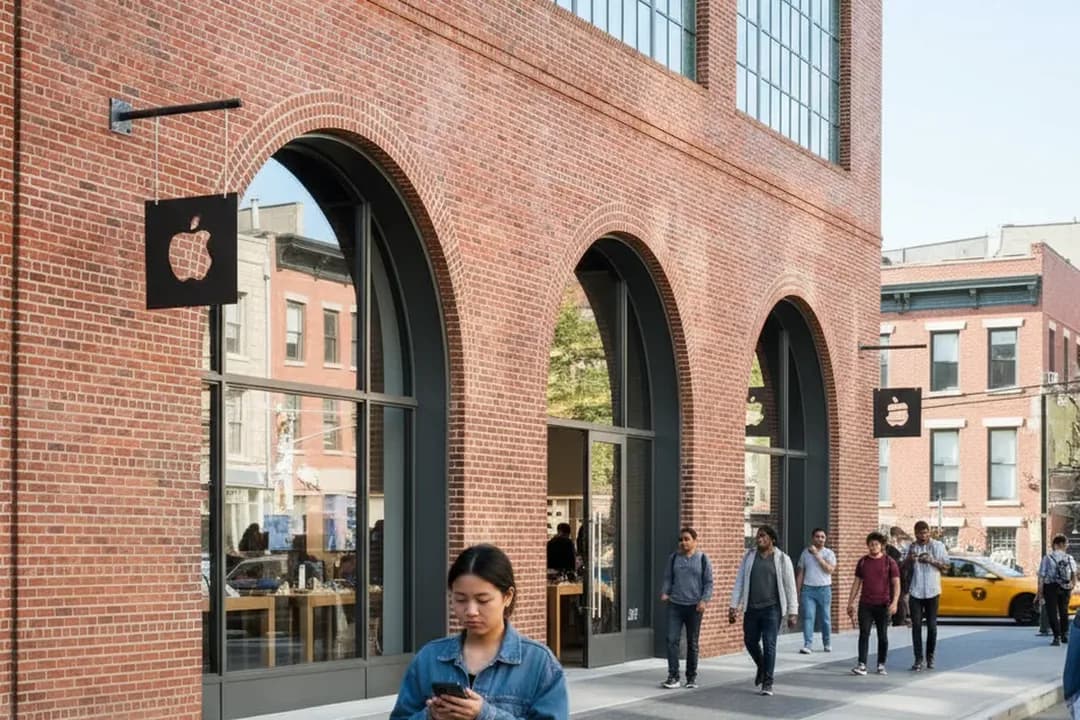
Williamsburg Apple Store Setup Stop Before a Student Device Goes to Class
A practical Williamsburg Apple Store plan for families deciding whether student Mac or iPad setup needs in-person help before school.
A weekday morning stop at Apple Williamsburg can solve a student-device problem before it becomes a first-week-of-class problem, but it is not a magic reset button. The store at 247 Bedford Avenue lists shopping by drop-in, in-store pickup, Today at Apple sessions, and Genius Bar support by appointment, with Thursday, July 23, 2026 hours shown as 10:00 a.m. to 9:00 p.m. The useful question for a parent and teen is narrower: do you need hands-on setup judgment, or just time at home with passwords, Wi-Fi, backups, and patience? Treat the trip as a structured tech errand, not a browse.
Want a calmer Williamsburg setup run before school starts? Text Karpo with the device, problem, budget ceiling, and timing, and ask whether Apple Williamsburg is worth the morning trip.
Apple Williamsburg Works Best When the Problem Is Specific
Apple Williamsburg is strongest when the student already has a clear device, account, or transfer question. A new Mac that needs migration choices, an iPad that must pair with Apple Pencil, or an Apple Account problem that blocks downloads can justify face-to-face support. A vague plan to “get everything ready” can sprawl. Before leaving, write the exact failure in one sentence and list the apps, school portals, and accessories that must work by day one.
The tradeoff is time versus certainty. Apple says Genius Bar support is by appointment, while shopping can be handled by drop-in, so a setup errand may split into two lanes. Buying a charger or case is different from troubleshooting a login, storage, or backup issue. If the teen mainly needs to install apps and organize files, home may be faster. If the parent needs confidence before spending more money, the store adds value.
Book the Genius Bar Only for Support, Not General Browsing
For a support issue, Apple’s Genius Bar page recommends making a reservation ahead of time, while noting that drop-ins may be helped if a technician is available. That distinction matters in late summer, when back-to-school errands pile up. Do not assume a weekday morning guarantees immediate technical help. Check Apple’s appointment flow before leaving, and if no slot appears, decide whether a shopping conversation is still worth the Bedford Avenue trip.
Bring the student into the decision instead of treating the appointment like a handoff. Apple says customers should know their Apple Account sign-in, bring the power cord and relevant accessories, update the device when possible, and back up data before service. For a teen, that means they should know which password manager, recovery phone, school email, and two-factor device they use. A parent can pay, but the student may need to authenticate.

Make the Backup Decision Before Bedford Avenue
Backup is the main failure mode for this errand. Apple’s current support guidance says iPhone and iPad users should back up before service, and Apple’s repair terms warn that data loss can happen during service. Even if the visit is only for setup help, treat backup as non-negotiable. Confirm iCloud status, photos, school files, notes, messages, and any local creative work before the device goes into a troubleshooting conversation.
For a Mac, do not arrive expecting the store to create a full backup on the spot. Bring the charger, the device, and the external drive if you use Time Machine, or verify that cloud folders have fully synced. For an iPad, check whether iCloud Backup completed and whether the school account uses separate apps or management profiles. If backup cannot be confirmed, make the store visit a diagnosis stop, not a repair authorization stop.
Use Today at Apple for Learning, Not Urgent Setup
Today at Apple can help a student learn a device, but it should not be confused with a private troubleshooting appointment. Apple’s Williamsburg calendar shows free sessions such as Get Started: Mac, Get Started: iPad, Apple Intelligence, and family-oriented creative sessions, with times changing by date. Those sessions are useful when the device works and the student needs orientation. They are a poor fit when activation, payment, storage, or school login access is broken.
The best pattern is to separate learning from rescue. If the teen is impatient, a scheduled group session may feel slower than expected, especially if their problem is personal and account-specific. Use Today at Apple when the goal is confidence with gestures, settings, productivity basics, or creative tools. Use Genius Bar or Apple Support when the goal is restoring access, diagnosing hardware, resolving update failure, or understanding whether a paid repair is likely.
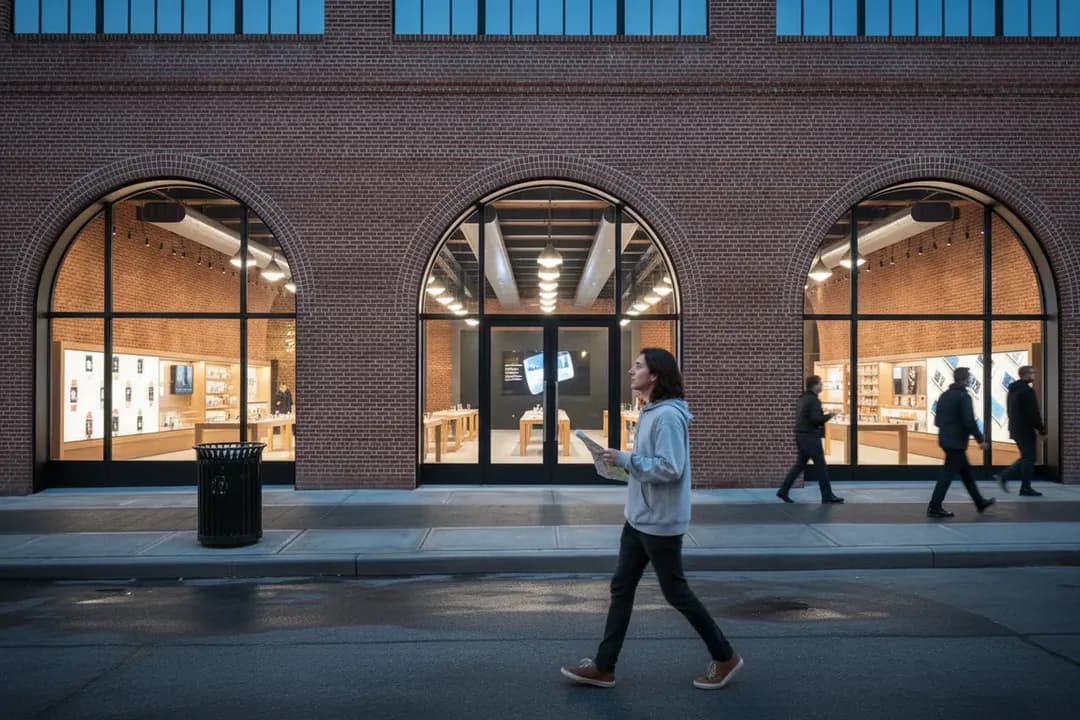
Budget Pressure Starts Before the Specialist Conversation
Apple Williamsburg can surface options quickly, but a parent should set a spending boundary before entering. Education savings may be available through Apple’s education shopping flow, and the Williamsburg page advises getting verified for education savings online before visiting to save time. That does not mean every accessory, service, or upgrade is automatically covered. Decide in advance whether the trip is for setup only, replacement research, or a same-day purchase.
The pressure point is usually not the laptop alone. It is storage, AppleCare, a keyboard, Pencil, case, adapter, repair estimate, or a device that suddenly looks too old for the school year. Ask the student what is required by the class or school, then separate required purchases from comfort purchases. If the budget is tight, use the store to clarify compatibility and timing, then pause before buying anything that is not needed for the first week.
Bedford Avenue Transit Is Convenient, But Verify the Lift
Apple Williamsburg sits at 247 Bedford Avenue, close to the neighborhood’s busy retail core. The practical subway reference point is the Bedford Av L station, and MTA-related reporting confirms accessibility work there, including elevators and platform improvements. Still, elevator status is a changing fact. MTA guidance says riders should check elevator and escalator status before going, so families using step-free access should verify the route on the day of travel.
A rain-safe indoor morning only works if the transfer is realistic. Bedford Avenue sidewalks can feel tight with backpacks, umbrellas, shopping bags, and a parent trying to keep the errand on schedule. If the L train has disruptions, the setup window can evaporate before the appointment starts. Build a buffer for station exits, security check-in, and the first conversation with staff. If the device battery is low, charge it before boarding.
Leave Apple Williamsburg With Proof, Passwords, and a Plan
The final check should happen before leaving the store, not later at the kitchen table. Confirm the device restarts, joins Wi-Fi, signs into the Apple Account, opens the school email or portal, downloads required apps, and recognizes key accessories. If any step was skipped because of time, write down why. Ask what was changed, whether a repair was recommended, and whether the next step requires another appointment, online support, or a purchase decision.
On July 23, 2026, the sensible go-or-skip rule is simple: go to Apple Williamsburg when the issue needs judgment, authentication, accessory compatibility, or repair triage; stay home when the work is routine setup and the backup is not ready. Before leaving, recheck Apple Williamsburg hours, appointment availability, Today at Apple session times, MTA service, and elevator status. If any of those pieces fails, reschedule instead of turning a school-prep errand into a scramble.
Tags: #AppleWilliamsburg #WilliamsburgBrooklyn #BackToSchool #StudentTech #MacSetup #iPadSetup #GeniusBar #TodayAtApple #BrooklynParents #NYCStudents #TechSupport #RainSafeNYC #AskKarpo #BeforeYouGo
All trademarks are the property of their respective owners.
Ask Karpo first
Tell Karpo your date, group size, budget, and starting neighborhood. We’ll check current access, timing, transit, and the cleanest plan for Apple Williamsburg before you head out.
Ask Karpo for more information.
Keep reading
- Vintage Clothing Store in Greenpoint: Beacon's Closet
 Board Game Cafe Near Me: The Brooklyn Strategist Moved North
 Salad Near Me in the West Village: Westville's Market-Table Vegetables