 Where to Eat Near Penn Station That Isn't a Chain
US Open 2026
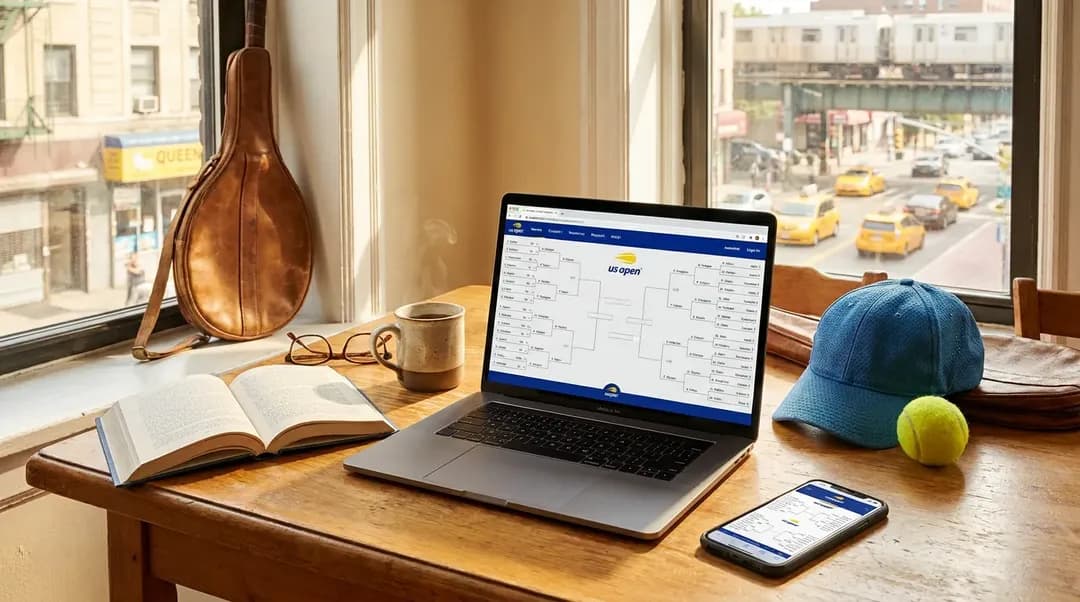
How to Track US Open Draw Changes Online
Learn how to follow US Open draw changes online without mistaking withdrawals, replacements, or match-order updates for rumors.
The practical question is simple: when you check your phone during the US Open and see that a player name, court, or match order has changed, how do you know what actually happened? Casual fans often treat the draw like a fixed bracket printed before the event, but tennis tournaments are live operations. A player can withdraw, an opponent line can be updated under tournament procedures, doubles pairings can shift, and the order of play can change as courts move through long matches, quick finishes, weather recovery, or other tournament needs. For “How to Track US Open Draw Changes Online,” the useful 2026 calendar anchor is August 23 through September 13, with singles main-draw play beginning August 30. That timing matters because different pages become useful at different stages: the event schedule helps you understand the tournament window, the draw shows the bracket picture once available, and the order of play tells you what is intended for a specific day.
Text Karpo for a current, low-friction plan for how to track us open draw changes online—including timing, route checks, and practical options that fit your day.
Start With The Draw
Think of the online draw as the tournament map. It shows who is placed in an event, which round is being played, and how winners move forward. It is not a promise that every listed player will appear at a future time, and it is not the same thing as the day’s court schedule. If you saved an early screenshot, treat it as a snapshot, not as the final authority.
When you open the draw, read it slowly. Look at the event, the round label, the player lines, and any score or notation beside a match. A completed score usually means the draw advanced through play. A walkover or withdrawal notation means the result came through tournament administration rather than a full match score. A blank future line may simply mean the previous match has not finished yet.
The most common fan mistake is comparing only the name they expected to see. Instead, compare the whole line: event, round, opponent, and result status. If the opponent changed but the court listing still looks similar, the bracket may have changed while the session plan remains close to what you saw earlier. If the bracket is unchanged but a court assignment moved, the draw did not change; the schedule did.
Read Withdrawal Signals Carefully
A withdrawal is not the same as a loss, and official tournament information may not give the personal detail fans want. The reliable question for a spectator is operational: is the match still listed, has a replacement appeared, has the opponent line changed, or has the match disappeared from the day’s order of play? Those answers help you adjust without relying on speculation.
Replacements can look surprising when you remember a previous version of the draw. In some situations, another eligible player may move into a spot after a withdrawal before play begins in that position. To a casual fan, that can feel like the bracket changed without warning. In reality, the current official draw is the better reference than a repost, screenshot, or fan account that captured an earlier moment.

- Compare the current player line with the one you saved, not just the court or session label.
- Look for words such as withdrawal or walkover before assuming a match was played.
- Treat social posts as clues only when they match the current tournament information.
- Avoid telling your group that a specific player is guaranteed to appear.
This can be disappointing if you bought a ticket hoping to see one person. Still, your better move is to rebuild the day around what the tournament is currently showing. Tennis tickets are tied to access and sessions, not to a guaranteed appearance by a particular athlete.
Separate Draw From Schedule
Many online misunderstandings begin when fans say “the draw changed” but the order of play changed instead. The draw answers the bracket question: who remains in the event and where the winner goes next. The schedule answers the daily logistics question: which matches are assigned to which courts and in what sequence. A player can remain in the same draw position while the match moves later on a court.
This distinction matters on site. A match listed third on a court does not start at a fixed minute like a movie. It follows earlier scheduled activity on that court, and tennis has no game clock. A long five-set match, an extended tiebreak, or a quick retirement can reshape the timing of everything that follows.
If you are watching from home, use the order of play to decide when to check scores or coverage. If you are walking the grounds, use it to decide whether to stay near a court, move to a backup match, or take a break. If only the court changes, your route changes. If only the opponent changes, your bracket interest changes. If only the order changes, your timing changes.
Build A Tracking Routine
A simple routine is better than refreshing every few seconds. Before a session, choose the two or three matches you most want to follow. For each one, note the event, round, court, and position in the order of play. Then watch for three signals during the day: a changed opponent, a changed court, or a changed sequence. Those signals tell you whether the update affects the bracket, your walking plan, or your schedule.

- Use the official event schedule page for the tournament calendar and session framework.
- Use official draw and order-of-play tools for current match assignments once they are available.
- Use live scores to judge whether earlier matches are close to finishing or still have a long way to go.
- Use the official A-Z and Plan Your Visit pages for venue rules and visitor logistics before attending.
When a change appears, pause before reacting. Ask what actually moved. Did the player name change? Did the court change? Did the match slide from second to later in the order? A quick diagnosis prevents the classic mistake of abandoning a good plan because one line on the screen looks different.
On the grounds, protect your ability to check updates. Keep your ticket easy to access separately from any draw screenshots, and do not let a low battery turn an ordinary court change into a stressful scramble. If mobile service is slow in a crowd, look for posted information and staff direction while continuing to treat the official digital tools as your main reference.
Practical Notes
Advice: before traveling, recheck the official US Open event schedule, A-Z, and Plan Your Visit pages rather than relying on saved screenshots. Because “How to Track US Open Draw Changes Online” depends on live operations, verify the specific schedules, gates, transit conditions, local hours, inventory, and venue rules that affect this plan. Before acting on “How to Track US Open Draw Changes Online,” recheck the official security page; its current limit is one searchable bag per guest, no larger than 12 by 12 by 16 inches.
Advice: make a flexible match plan with one priority match, one nearby alternative, and one place to pause if the order changes. If a favorite player withdraws or a matchup changes, check the current draw first, then the order of play, then live scores. That sequence keeps you focused on confirmed tournament information instead of rumor, and it helps you still get value from the session in front of you.
Tags: #USOpen2026 #Tennis #NewYork #Queens #FlushingMeadows #USOpenGuide #TennisFans #SportsTravel #NYCEvents #HardCourt #KarpoFinds #Karpo
Sources consulted: usopen.org — Official reference · usopen.org — Official reference · usopen.org — Official reference
All trademarks are the property of their respective owners.
Ask Karpo first
Want to know what is confirmed, when to show up, and what is actually open to the public? Ask Karpo for the latest US Open updates and a practical New York plan for how to track us open draw changes online.
Ask Karpo for more information.
Keep reading
- Where to Eat Near Penn Station That Isn't a Chain
 Andytown Coffee in the Outer Sunset: The Snowy Plover Explained
- Best Things to Do in Chicago: What the City Gives Away