 Inner Richmond Egg Tart Bakery Crawl: Clement Street Pastry
Coffee & Dessert

SF Remote Work Cafe Finder: Quiet Corner Workflow
Find a low-friction San Francisco work session by filtering light, sound, seating, and an easy exit before the day gets noisy. Save a plan you can reuse.
San Francisco mornings can make a remote-work search feel like a hunt for a perfect room. A better first move is to name the work block: reading, outlining, editing, or a short administrative pass. The finder is useful when that purpose becomes a few practical filters. Choose the time you can actually protect, the sound level you can tolerate, and whether you need a seat that lets you spread paper beside a laptop. Keep the first decision small so the morning stays yours. Quiet session note: Before the first transition, write the smallest action that counts as progress.
Start With the Work, Not the Cafe Photo
Write the outcome in one sentence before you search. “Finish the brief” needs a different setting from “clear the inbox.” Add a walking limit that feels comfortable with your bag, then keep one fallback within reach. This turns a vague cafe wish into a small decision tree, so the first result is a candidate rather than a commitment. A visible limit helps the room fade into the background. Quiet session note: At the midpoint, pause long enough to notice whether the setting still fits.
Window light is not merely a mood preference when the screen will be open for hours. In the finder, treat glare, shade, and the direction of the brightest window as separate observations. A bright counter can suit a sketchbook while a side-facing table may be kinder to a text-heavy task. Record which light you want, then let the results stay narrow enough to compare. Use plain language for preferences and leave room for change. Quiet session note: If attention slips, change one condition before changing the whole route.
Light and Glare Are Work Filters
Consider the shape of your session. A quick planning block can accept visual movement, while close reading benefits from an even field of light. Add a note about whether you prefer a wall behind you or a view ahead. The point is not to promise a particular seat, it is to make your own tradeoffs visible before you walk. The best filter is the one you will remember when tired. Quiet session note: A clear surface makes the next decision easier to see.
Coffee grinders, dishes, music, and conversation create different kinds of distraction. Use a sound filter that describes your tolerance rather than pretending the app can measure a room in real time. “Low background hum” is a useful starting condition, “absolute silence” may leave you with no workable options. Save a second search with a looser sound setting. Let the route support the work instead of becoming the work. Quiet session note: Keep the fallback close enough that it remains a real option.
Sound Without Guesswork
When the task is generative, a little movement can help. When it is exacting, voices may break the thread. Write that distinction into the session note and compare the shortlist with your actual work. If the first room feels wrong, switch to the saved alternative instead of spending twenty minutes judging it. A clear rule protects attention better than optimism. Save one observation for the next session and move on. Quiet session note: Let the session end before fatigue starts choosing for you.
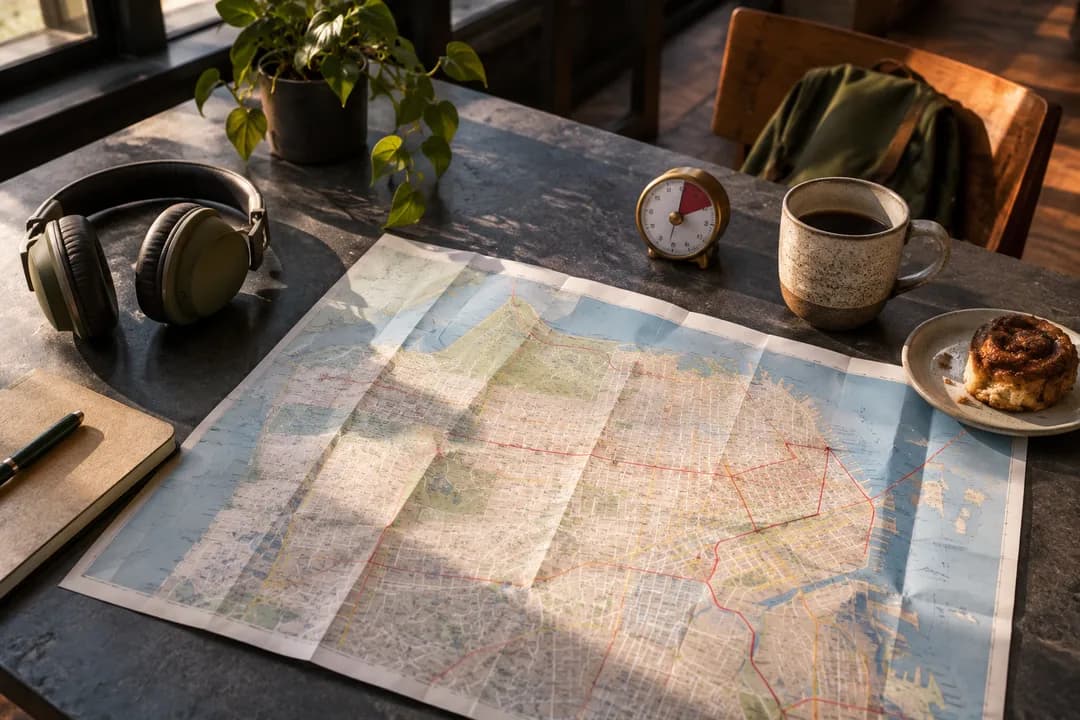
Power is easy to forget until a battery warning becomes the loudest thought in the room. Add outlet preference early, then decide how much table you need for the materials you carry. A single seat with a narrow ledge can be perfect for a notebook, a broad table is more useful for a planning spread. A short note can be more useful than another round of browsing. Quiet session note: One honest constraint can save more time than another search.
Outlets, Bags, and Surface Area
Bag space also changes the route. If you have a coat, charger, and camera, a compact seat may feel crowded even when it is technically available. Keep the search language concrete: outlet nearby, room for paper, easy bag placement. These are personal constraints, and the finder works best when they are stated plainly rather than hidden in a long wish list. Choose the task that fits the setting you actually found. Quiet session note: Use the route as a prompt for action rather than a promise.
A two-stop plan is not a promise that the first place will be full. It is a way to keep a work block from collapsing when conditions change. Choose one candidate for the main task and one for a shorter backup. Give each a different job: deep reading first, quick notes second, or drafting first, calls second. When conditions shift, adjust one variable at a time. Quiet session note: The next useful comparison begins with what happened today.
Make a Two-Stop Plan
Keep the walk between options realistic and let the second stop be acceptable on its own. The route should not depend on a single perfect seat. Save the pair with the time window and task label, then leave the search. The practical benefit is emotional as much as logistical: you can move without reopening every decision when the room is busy. Protect the handoff between tasks with a simple closing action. Quiet session note: Protect a little space for packing and changing tasks.
Arrival timing is one of the few variables you control. Instead of asking for “quiet all day,” set a small window that matches your actual commute and energy. A morning search can prioritize calmer conditions, a later one can favor a reliable fallback and a shorter block. Your future search should start from lived detail, not a fantasy. Quiet session note: A small note can carry context across a busy afternoon.
Use a Narrow Arrival Window
Write down the latest arrival that still makes the session worthwhile. If the window closes, change the task rather than forcing the route. The finder can help you compare scenarios, but the decision remains yours. A small deadline keeps browsing from replacing the work you meant to do. Keep the plan light enough to carry through a busy day. Quiet session note: Do not add complexity when a shorter block will work.
San Francisco streets can provide a useful reset between work blocks. Add a short walk as a transition, not as an attraction checklist. A route past a pocket park, a bookstore window, or a broad sidewalk gives your eyes a different distance after close reading. A fallback earns its place by being easy to choose. Quiet session note: The plan should make movement feel ordinary and reversible.
A Reset Walk Can Be Part of the Plan
Keep the walk short enough that it does not become a second project. Note whether you want coffee-to-coffee continuity or a clear break before the next task. When you save the route, include the transition in the plan so the next action feels intentional instead of improvised. Leave the room with a clear next step already named. Quiet session note: Leave one detail unfinished only when it has a named next step.
Practical Notes for the First Session
Bring the tools that match the job, then stop refining the setup. A charger, headphones, one notebook, and a visible time limit are usually more useful than a large kit. Use Karpo APP to save the filters and compare the shortlist, but treat every result as a starting point for your own judgment. Small repeatable choices create a calmer working rhythm. Quiet session note: Your future self benefits from a decision written while it is fresh.
Ask Karpo for more information.
Keep reading
- Inner Richmond Egg Tart Bakery Crawl: Clement Street Pastry
 Portola Egg Tart Bakery Crawl: San Bruno Avenue Pastry
 Outer Sunset Egg Tart Bakery Crawl: Ocean Mist and Custard