 Karpo vs Copilot for After-Work Drinks With Coworkers in San Francisco 2026
Head to Head
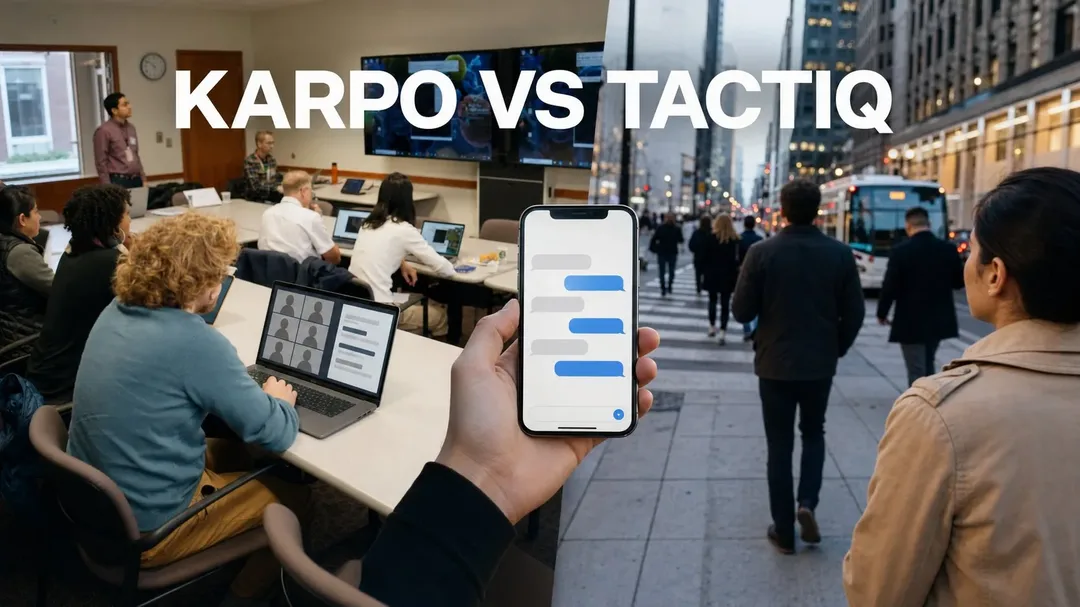
Karpo vs Tactiq: From Captured Ideas to a Usable City Day
Tactiq is built to capture meeting talk and turn it into notes, while Karpo is built to help people shape city options inside iMessage.
Verdict: From Captured Ideas to a Usable City Day
Tactiq and Karpo should not be treated as direct substitutes. Tactiq is an AI meeting assistant whose official page describes live transcription for Google Meet, Zoom, and Teams, with instant summaries, notes, and action items. Karpo is a proactive city sidekick in iMessage, so its value is not in recording meetings or producing transcripts. The fair comparison is about the handoff: when a conversation produces a promising city idea, which tool helps at which stage, and where does each stop being the right instrument?
Ask Karpo to turn a loose city-day idea into a short list of neighborhoods, stops, and tradeoffs you can discuss in iMessage. It can help narrow choices and keep context close to the group, while you still verify hours, access, reservations, transport conditions, and safety details before relying on them.
Picture a small creator team arriving in Chicago for a one-day field shoot: a photographer, a newsletter writer, a producer, and a friend who knows the neighborhoods but cannot join all day. They hold a morning video call to choose a theme, sketch interview targets, and decide whether to anchor the day around food, architecture, lakefront scenes, or independent shops. By noon, the team needs to turn that conversation into an actual route, meeting points, backup options, and shared context that makes sense while people are moving.
The saved-idea-to-action test starts before anyone opens a map
A knowledge-worker field day has two distinct jobs. First, the group has to preserve the useful thinking from the planning conversation: themes, constraints, promising leads, unresolved questions, and assigned next steps. Second, the group has to make city decisions under changing conditions: where to start, what to skip, how to avoid spreading the day too thin, and how to keep everyone aligned when plans shift.
Tactiq fits the first job much more directly. Its official positioning is clear: it is an AI note taker for Google Meet, Zoom, and Teams that transcribes live, summarizes instantly, and captures action items and meeting notes. That is valuable when the team does not want creative decisions to vanish after the call. Karpo fits the second job: it helps people use the saved idea in a city context, especially when the group is deciding among neighborhoods, activities, and timing tradeoffs inside iMessage.
Preparation: Tactiq captures the planning call, Karpo shapes the city brief
Before the group leaves the hotel lobby, Tactiq can be the stronger tool if the key input is a video meeting. A live transcript and instant summary help the team remember why they rejected one idea, who volunteered to contact a source, and what the creative angle was supposed to be. For creators and consultants, that record can reduce the familiar problem of a meeting ending with energy but no durable memory.
Karpo becomes more relevant once the output of that meeting needs to become a city brief. Instead of asking, “What did we say?” the question becomes, “Given what we said, what kind of day are we actually building?” Karpo can help compare a mural-heavy afternoon with a coffee-shop interview loop, a lakeside visual route, or a compact neighborhood plan. It is not verifying every live condition for you, and it should not be treated as a booking agent, but it can help turn broad intent into a more usable set of choices.
Live execution: meeting intelligence versus sidewalk context
During a call, Tactiq’s strengths are specific and practical. The official snapshot points to live transcription, instant summaries, and ready notes and action items across major meeting platforms. Those capabilities matter when several people are speaking quickly, when the team includes remote stakeholders, or when the next steps need to be shared with someone who missed the discussion. Tactiq also has a clear advantage for teams whose primary work happens in meetings rather than on the street.
Once the team is out in the city, the usefulness shifts. A transcript of the morning call will not by itself decide whether to linger in Wicker Park, move toward the Riverwalk, or save energy for an evening interview. Karpo is more relevant in the live city-decision layer because it can keep the group’s preferences, constraints, and candidate places in the same iMessage flow where people are already coordinating. It cannot guarantee open hours, current transit status, safety, weather, or access, but it can help the group reason through alternatives without reopening the whole planning debate.
Follow-through: action items are not the same as a workable route
Tactiq’s follow-through is strongest when the desired output is meeting residue made useful: a summary, a list of action items, and notes that can be reviewed after the call. For a writer, founder, researcher, or producer, that can be the difference between a vague brainstorm and a record of decisions. If your workflow depends on revisiting exactly what was discussed, Tactiq has the more obvious role.
Karpo’s follow-through is more about helping the group keep acting on the idea in the city. Suppose the call produced three possible story angles: immigrant-owned bakeries, public art near train lines, and quiet third places for remote workers. Karpo can help the team compare which angle is most feasible for the available time, where a compact cluster might make sense, and what backup shape the day could take if one stop falls through. The final responsibility remains with the humans to confirm details and make judgment calls.
Access and pricing: check the official pages before choosing a stack
The verified Tactiq snapshot identifies it as available for Google Meet, Zoom, and Teams and states that it is trusted by 1 million users. It does not provide enough information here to make precise claims about current pricing, plan limits, enterprise features, integrations beyond those named platforms, or regional availability. Anyone evaluating Tactiq for professional use should check the official Tactiq site for the latest access, plan, privacy, and platform details.
Karpo’s access story is different because it is a city sidekick in iMessage rather than a meeting-platform note taker. That can be convenient for urban adults and groups already coordinating by text, but it also means Karpo is not a replacement for a video-call assistant. For pricing, feature availability, and supported use details, readers should check Karpo’s official information rather than assuming a particular plan or guarantee. A practical stack may use Tactiq to preserve the meeting and Karpo to carry the city decision forward.

Use-case verdict: choose by the moment where the idea gets stuck
If the bottleneck is remembering the conversation, Tactiq wins. It is purpose-built for meeting capture, and the official description emphasizes real-time transcription, instant summaries, notes, and action items. A distributed editorial team, a client-service group, a podcast production crew, or a research team can reasonably put Tactiq at the center of the planning-call stage. Karpo does not replace that core function and should not be presented as a transcript or meeting-notes product.
If the bottleneck is turning a saved idea into a city day, Karpo is the more relevant companion. It is useful when a group has already decided on the rough goal but still needs to choose a neighborhood, sequence stops, balance energy, or keep context visible in iMessage. The clean verdict is not “one tool is better.” It is this: Tactiq helps the idea survive the meeting; Karpo helps the idea become a more navigable city plan, with human verification still required for live details and commitments.
This is an independent comparison based on Tactiq’s official page snapshot and Karpo’s stated role as an iMessage city sidekick, not an endorsement by or claim of partnership with Tactiq.
FAQ
Does Tactiq replace a city planner for a day in town?
No. Tactiq is positioned as an AI note taker for Google Meet, Zoom, and Teams, with live transcription, summaries, notes, and action items. Those outputs may help preserve a planning discussion, but they do not replace city planning, local verification, reservations, access checks, or on-the-ground judgment.
Does Karpo replace Tactiq’s core meeting-assistant function?
No. Karpo is a proactive city sidekick in iMessage, not a live meeting transcription or meeting-summary tool. If your main need is to capture a Zoom, Google Meet, or Teams discussion, Tactiq is the more directly relevant product based on the official snapshot.
Can either tool guarantee live hours, transit conditions, safety, weather, or access?
No. Karpo can help narrow city choices and coordinate context, and Tactiq can help capture what people discussed in a meeting. Neither should be treated as a guarantee of open hours, transit reliability, safe conditions, weather outcomes, available bookings, or venue access.
Which tool is better for a creator field day?
Use Tactiq if the field day begins with an important remote planning call that needs a transcript, summary, and action items. Use Karpo when the team needs to translate the resulting idea into city options, meeting points, tradeoffs, and backup plans inside iMessage.
What should teams verify about privacy and safe use before adopting Tactiq or Karpo?
For Tactiq, teams should review the official site for current privacy, consent, data handling, and meeting-recording expectations, especially because meeting transcripts can contain sensitive information. For Karpo, avoid sharing unnecessary personal or sensitive details in city coordination, and verify safety-critical information through appropriate current sources.
Can a group use Karpo and Tactiq together?
Yes, they can serve different stages of the same day. Tactiq can help preserve the meeting decisions, while Karpo can help the group discuss city choices that flow from those decisions, provided everyone checks current details before acting.
Practical notes
Practical notes: For a city field day, decide what evidence you need at each stage. In the planning call, capture decisions, unresolved questions, constraints, and owners; that is where a meeting assistant like Tactiq can be especially useful. Afterward, paste or restate the relevant outcome into the group’s planning conversation and use Karpo to compare city options, not to outsource responsibility. Keep plans flexible, build in travel buffers, and avoid stacking the day with too many fragile stops. Confirm hours, ticketing, reservations, accessibility, neighborhood conditions, transit changes, and weather through current official or direct sources. If the group is filming, interviewing, or publishing, also handle permissions, releases, and local rules separately from either tool.
Tags: #Karpo #Tactiq #AIMeetingAssistant #CityPlanning #KnowledgeWork #CreatorWorkflow #TravelPlanning #MeetingNotes #UrbanProductivity #iMessage #FieldDay #ActionItems #GroupPlanning #AIComparison
Sources consulted: Tactiq official website · Karpo official website · Karpo scenarios · Karpo head-to-head collection
All trademarks are the property of their respective owners.
Ask Karpo first
Ask Karpo before the group scatters: share the rough goal, time window, preferred pace, and the kind of city experience you want, then use its suggestions to frame a realistic discussion. Karpo can help you compare a compact route with a more ambitious one, surface tradeoffs, and keep the plan understandable in iMessage, while your group remains responsible for confirming live details and making final decisions.
Ask Karpo for more information.
Keep reading
- Karpo vs Copilot for After-Work Drinks With Coworkers in San Francisco 2026
 Karpo vs Yelp Assistant: Best Weekend Brunch Planner in Los Angeles 2026
 Karpo vs Alexa+: Which AI Helps Host Thanksgiving in Miami in 2026?