 Karpo vs Copilot for After-Work Drinks With Coworkers in San Francisco 2026
Head to Head
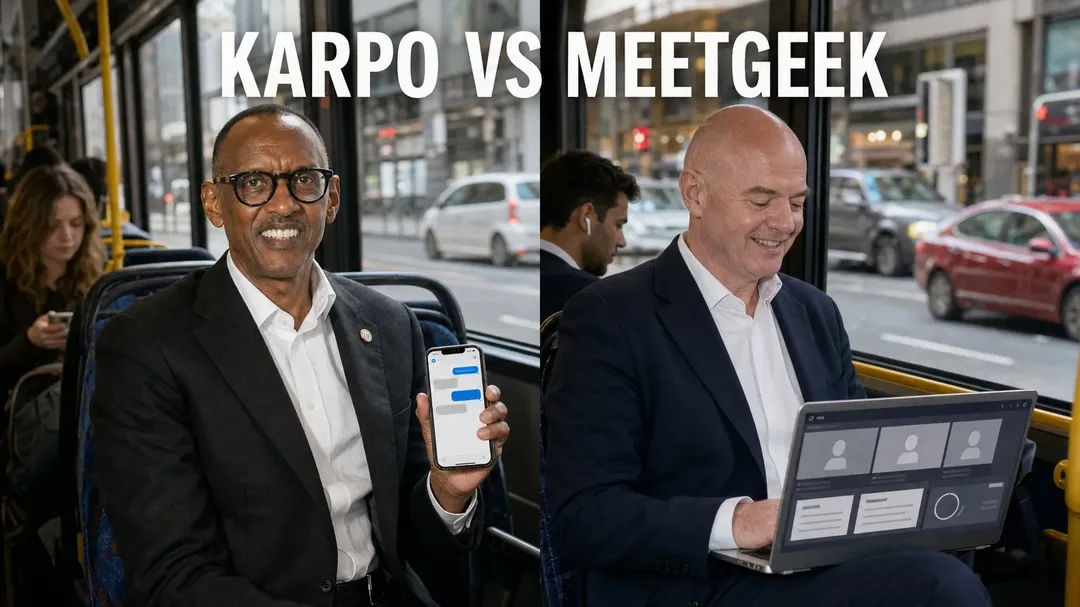
Karpo vs MeetGeek: The Business-Trip Margin Test
MeetGeek is built to capture and summarize meetings, while Karpo is built to help people make better use of a city day inside iMessage.
Verdict: The Business-Trip Margin Test
Karpo and MeetGeek should not be judged as if they are versions of the same product. MeetGeek’s official page describes it as an AI note taker and meeting assistant that can record, summarize, and help act on insights from meetings, with automated setup and a free way to get started. Karpo, by contrast, is a proactive city sidekick in iMessage: it helps narrow choices, coordinate context, and turn loose urban intent into a more usable plan. The honest boundary is simple: MeetGeek belongs around the meeting itself; Karpo belongs around the city day that surrounds the meeting.
Ask Karpo when the meeting agenda starts spilling into real streets: “I have three hours near the West Loop after a client call, need a quiet coffee, one design stop, and dinner options for four.” Karpo can help you compare the shape of the day and keep the context in iMessage, while you still verify live details such as hours, traffic, reservations, and access.
Imagine a designer flying to Chicago for one client workshop, a podcast dinner, and half a free afternoon before the airport. The business risk is not only forgetting what the client said at 10 a.m. It is also wasting the two-hour gap, choosing a restaurant that is wrong for the group, underestimating cross-town time, or losing the thread between a gallery idea, a coffee stop, and a later pickup. A meeting assistant can protect the record of the conversation. A city sidekick can help shape the margin where travel plans usually fray.
When Karpo Is Asked to Be MeetGeek, the Failure Is the Meeting Record
The first failure mode is obvious but important: Karpo is not positioned as an AI note taker. If a team expects Karpo to record a sales call, summarize decisions, extract follow-ups, or preserve a searchable meeting trail, they are asking the wrong tool to do the job. A city-side conversation may include a reminder that you have a client lunch after the call, but that is not the same as capturing the client’s objections, scope changes, or action items.
That matters on a business trip because meetings often create obligations that outlive the destination. A founder may leave a partner meeting with five next steps, a revised timeline, and a promise to send materials. MeetGeek’s stated role is closer to that core workflow: record, summarize, and act on insights. Karpo can help the founder decide where to work quietly afterward or how to fit dinner before a train, but it should not be treated as the official memory of the meeting.
When MeetGeek Is Asked to Be Karpo, the Failure Is the City Day
The opposite mistake is subtler. MeetGeek may be useful before, during, and after conversations, but its official positioning does not make it a city planner, local discovery tool, or real-time travel companion. If a traveler asks it to decide whether a neighborhood is practical between meetings, pick a low-noise place for a creator interview, or weigh a museum stop against airport timing, the request has drifted away from a meeting assistant’s center of gravity.
This is where the business-trip margin test becomes useful. Many work trips are won or lost in the margins: a 70-minute window before check-in, a group that needs food after a workshop, a creator who wants one visually interesting stop without derailing the schedule. Karpo is more relevant in those moments because it is designed for city choices and coordination in iMessage. It can help structure options, carry context, and reduce back-and-forth, but it still cannot guarantee bookings, opening hours, transit conditions, safety, weather, or access.
Where MeetGeek Clearly Wins for Knowledge Workers
MeetGeek has real strengths that Karpo should not try to blur. First, its category is highly specific: AI note taking and meeting assistance. Second, the official snapshot says it can record and summarize, which addresses a concrete pain for knowledge workers who spend much of the day in calls. Third, the page says it helps users act on insights, suggesting that the value is not only transcription-like capture but also turning meeting content into usable follow-up. Fourth, it is described as 100% automated and no setup required, which is attractive when users do not want another complicated system.
Those strengths are especially relevant for consultants, recruiters, account managers, researchers, and remote teams. If your primary anxiety is, “Will we remember what was decided?” MeetGeek is the stronger fit. If your calendar contains three video calls from a hotel room, a debrief with colleagues, and a stakeholder interview, you likely want a meeting-specific assistant. Karpo can be useful after the calls, but it is not a substitute for a product whose official purpose is to capture and summarize meetings.
Where Karpo Becomes More Relevant Than a Meeting Assistant
Karpo’s advantage appears when the task is not a meeting artifact but a situated decision. Urban adults rarely ask only, “What is the best place?” They ask, “What makes sense from here, with this group, after this appointment, before that reservation, and without exhausting everyone?” A traveler in Los Angeles might need a creator-friendly café, a short walk with good light, and a dinner area that does not trap the group in traffic before a late flight. That is not a meeting-summary problem.
Because Karpo lives in iMessage, it also fits the informal way city decisions happen. People forward ideas, change constraints, ask friends, and revise plans in bursts. Karpo can help narrow the field and keep the context connected, rather than forcing every decision into a meeting workflow. Its value is not that it magically knows every live condition. Its value is that it helps a person or group think through a city day with less drift and fewer disconnected searches.
Access and Pricing: Read the Official Pages, Not Assumptions
The verified MeetGeek snapshot says it is free to get started, but it does not provide exact plan limits, paid tiers, feature boundaries, account requirements, regional availability, or retention terms. That means a fair comparison should stop short of inventing details. If recording length, team administration, export options, or meeting platform behavior matter to you, check MeetGeek’s official site before relying on it for a client engagement or company workflow.
Karpo should be evaluated with the same caution. Its role as a proactive city sidekick in iMessage is clear, but users should not assume it can secure reservations, override access restrictions, guarantee transit timing, or confirm live venue details. For both products, the practical buying question is not only price. It is whether the product sits at the point where your day breaks: meeting capture for MeetGeek, city coordination for Karpo.

Practical Verdict: Protect the Room, Then Protect the Hours Around It
If your business trip has one critical meeting and the rest of the day is flexible, MeetGeek and Karpo can serve different layers. Use MeetGeek when the conversation itself must be recorded, summarized, and turned into follow-up. Use Karpo when the decision is about what to do before or after: where to regroup, how to use a free afternoon, what neighborhood makes sense for dinner, or how to keep a small group aligned without a long planning thread.
If you can only choose one, choose based on the failure you cannot afford. A lawyer, analyst, or sales lead who needs faithful meeting notes should start with MeetGeek. A traveler, creator, or group organizer who already knows the meeting details but keeps losing time to city logistics may find Karpo more relevant. The sharpest answer is not that one product beats the other; it is that they fail differently when misassigned.
This is an independent comparison based on MeetGeek’s official positioning as an AI note taker and meeting assistant and Karpo’s role as a proactive city sidekick in iMessage.
FAQ
Does MeetGeek replace a city planner for a business trip?
No. MeetGeek is presented as an AI note taker and meeting assistant, not as a city planner or local coordination tool. It may help with meeting content, but city choices, timing, venues, and live logistics need separate judgment and verification.
Does Karpo replace MeetGeek’s core meeting function?
No. Karpo is not positioned as a tool to record, summarize, or manage meeting insights. If you need an AI meeting assistant, MeetGeek is much closer to that core function based on its official description.
Can either product guarantee live details like hours, bookings, transit, or access?
No. Karpo can help narrow city choices and coordinate context, but it cannot guarantee reservations, opening hours, transit conditions, weather, safety, or access. MeetGeek’s official snapshot does not position it as a live city-information guarantee either.
Which is better for a creator visiting a city for one meeting and one free afternoon?
Use MeetGeek if the meeting record matters most. Use Karpo if the bigger problem is shaping the free afternoon, comparing neighborhoods, and keeping the plan practical around location, energy, and group preferences.
How should a user think about privacy, consent, and safety across MeetGeek and Karpo?
For MeetGeek, teams should review the official policies and settings before recording meetings, especially when clients, employees, or sensitive topics are involved. For Karpo, users should avoid sharing unnecessary personal or sensitive details and should verify safety-critical city decisions independently.
Is MeetGeek free?
The official snapshot says MeetGeek is free to get started, but it does not provide exact plan limits or paid-plan details here. Check the official MeetGeek site for current pricing, availability, and feature boundaries.
Practical notes
Practical notes: For a high-stakes trip, separate meeting memory from city movement. Decide before departure which conversations need formal capture, consent, and follow-up, then use a meeting assistant only within that appropriate context. For the rest of the day, list constraints that actually change the plan: luggage, energy, budget, dietary needs, mobility, weather tolerance, neighborhood distance, and whether the group wants novelty or predictability. Karpo can help turn those constraints into a clearer city plan inside iMessage, but you should still confirm live hours, route conditions, reservation availability, and safety considerations through authoritative sources or the venue directly.
Tags: #Karpo #MeetGeek #AIMeetingAssistant #AINoteTaker #BusinessTravel #CityPlanning #UrbanProductivity #KnowledgeWorkers #CreatorTravel #iMessage #TravelPlanning #MeetingNotes #WorkTrip #CitySidekick
Sources consulted: MeetGeek official website · Karpo official website · Karpo scenarios · Karpo head-to-head collection
All trademarks are the property of their respective owners.
Ask Karpo first
Ask Karpo before the open space in your itinerary becomes a scramble: share the neighborhood, time window, group size, and mood of the day, then let it help you narrow realistic options while you confirm the live details that matter.
Ask Karpo for more information.
Keep reading
- Karpo vs Copilot for After-Work Drinks With Coworkers in San Francisco 2026
 Karpo vs Yelp Assistant: Best Weekend Brunch Planner in Los Angeles 2026
 Karpo vs Alexa+: Which AI Helps Host Thanksgiving in Miami in 2026?