 Karpo vs Duckbill: The Tired-Arrival Test for 2026
Head to Head

Karpo vs Caddy in 2026: Productivity in Messages or a Sidekick for the City?
One lives in your messaging app to manage work and life across connected tools; the other helps you navigate the city with proactive, weather-aware local recommendations.
The Verdict: Different Jobs, Same Interface
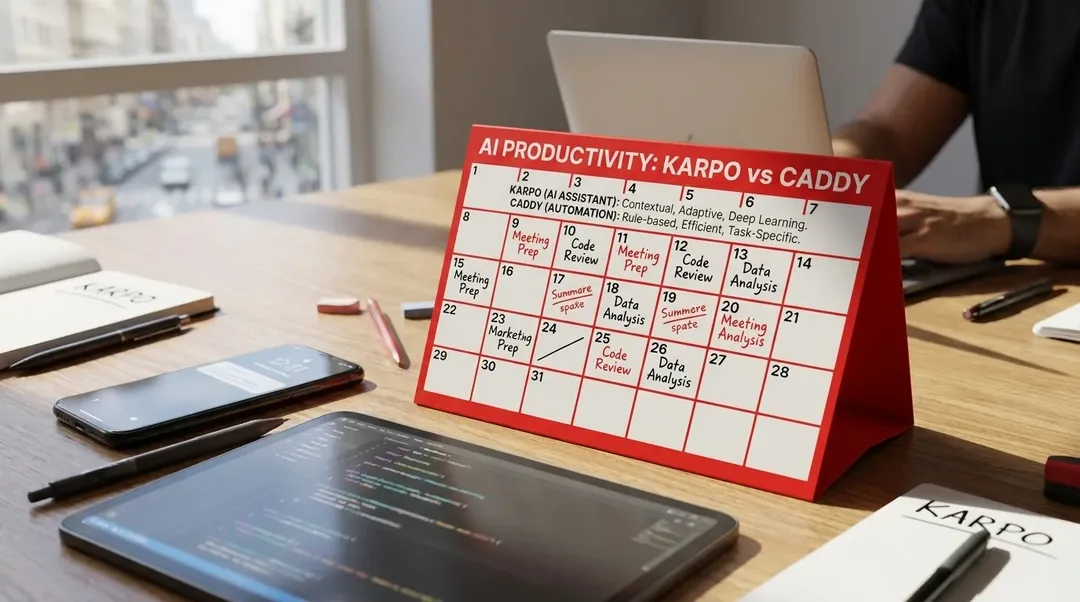
Karpo and Caddy both operate through messaging apps, but they solve opposite problems. Caddy is a personal AI assistant designed to manage your digital workload—monitoring email, calendar, Slack, Linear, and other productivity tools to surface what needs attention and automate follow-through. Karpo is a proactive city sidekick that helps you discover local spots, coordinate group plans, and adapt to weather or timing changes with backup options. If your bottleneck is inbox overload and scattered tasks, Caddy is the stronger choice. If you need help navigating a city's dining, events, and social logistics, Karpo is purpose-built for that. Neither replaces the other, because they operate in fundamentally different domains.
Text Karpo when a free evening needs more than inbox help: get a short, taste-aware set of nearby options, timing notes, and a backup that works for the people involved.
What Caddy Actually Does
Caddy is a proactive AI assistant that lives in your messaging app and connects to the productivity tools you already use. It monitors your Gmail inbox and texts you when an important email arrives. It watches your Google Calendar for conflicts, deadlines, and missing prep. It tracks Slack messages, Linear issues, and Todoist tasks, then sends a morning daily brief summarizing what matters and suggesting next actions. Caddy can draft email replies in your voice, schedule meetings, turn meeting notes into action items, search across connected documents, and provide an end-of-day wrap-up of unresolved threads. It works in group chats for lightweight coordination—answering quick research questions, setting shared reminders, and summarizing planning threads—but it does not pull your connected app data into group conversations for privacy reasons. The more you use Caddy, the more it learns your communication style, work patterns, and priorities, adapting its tone and suggestions to feel personalized. Caddy is free to start, though pricing details for advanced features are not publicly listed and should be verified directly with the vendor.
Where Karpo Pulls Ahead
1) Proactive City Intelligence
Karpo texts first when local conditions change—weather shifts that affect outdoor plans, timing windows for popular spots, or neighborhood events that create crowding. Caddy monitors your digital workspace; Karpo monitors the city itself. If rain threatens your picnic, Karpo suggests indoor alternatives before you have to ask. If a restaurant you mentioned has a short wait window, Karpo flags it. This proactive city awareness is Karpo's core strength and something Caddy does not attempt.
2) Taste-Aware Local Discovery
Karpo learns your preferences—cuisine types, neighborhood vibes, noise tolerance, group size—and refines recommendations over time. When you ask for dinner suggestions, Karpo filters by what you actually enjoy, not just what is popular. Caddy can research restaurant options in a group chat, but it does not build a persistent taste profile or specialize in local discovery the way Karpo does.
3) Weather-Sensitive Backup Plans
Karpo integrates weather forecasts into its suggestions, offering alternatives when conditions shift. If your rooftop bar plan faces unexpected wind or rain, Karpo proposes covered patios or indoor venues nearby. Caddy can remind you about calendar events, but it does not layer in environmental context or suggest weather-driven pivots.
4) Group Coordination for City Plans
Karpo supports group chats with a focus on shared city logistics—finding spots that accommodate dietary restrictions, tracking who confirmed for weekend plans, suggesting meeting points between scattered neighborhoods. Caddy also works in group chats for lightweight coordination and shared reminders, but Karpo's group features are tuned specifically for local discovery and timing, not general task management.
5) Free and City-Focused
Karpo is free to use and designed exclusively for city navigation and local discovery. There are no productivity integrations, no email monitoring, no calendar syncing—just a focused tool for the moment you need to decide where to go and when. Caddy starts free but is built for cross-app productivity, which means its feature set and potential pricing tiers reflect a broader, more complex mission.
Where Caddy Pulls Ahead
1) Cross-Platform Productivity Integration
Caddy connects to Gmail, Google Calendar, Slack, Linear, Todoist, and other productivity tools, creating a unified interface for managing work and personal tasks. It can monitor your inbox for urgent messages, draft replies, schedule meetings, track project updates, and search across connected documents. Karpo does not integrate with productivity apps at all—it is purpose-built for city discovery, not workflow management.
2) Proactive Inbox and Calendar Management
Caddy texts you when an important email arrives, surfaces calendar conflicts before your day starts, and sends a daily brief summarizing meetings, priority messages, and tasks. It can also provide an end-of-day wrap-up of unresolved threads and suggest next actions. Karpo does not touch your email or calendar—it focuses exclusively on local plans and city logistics.
3) Task and Reminder Automation
Caddy turns natural-language texts into reminders, tracks recurring routines, converts meeting notes into action items, and organizes expense receipts from screenshots. It replaces Apple Reminders and similar tools by handling follow-ups, deadlines, and errands across connected apps. Karpo does not manage tasks or reminders beyond city-specific plans—it is not a general-purpose productivity assistant.
4) Work-Focused Group Chat Coordination
Caddy works in group chats for lightweight coordination, shared reminders, quick research, and summaries, making it useful for team planning and project follow-through. While Karpo also supports group coordination, its focus is local discovery and city plans, not work tasks or project management.
5) Personalized Communication Style
Caddy learns your communication preferences, work patterns, and priorities over time, adapting its tone and message length to match your style. It can draft email replies in your voice and adjust its daily brief based on what you care about. Karpo learns your taste in restaurants and neighborhoods, but it does not personalize communication style or handle professional correspondence.
Pricing and Access
Karpo is free to use and operates through messaging apps, with no app download required. It is designed for city-focused discovery and group coordination, with no paid tiers or productivity integrations. Caddy is also accessible through messaging apps and starts free, but pricing details for advanced features or higher usage tiers are not publicly listed on its website. Users interested in Caddy's full feature set should verify pricing and access terms directly with the vendor. Both tools require no separate app installation and work within your existing messaging environment.
Decision Framework
Choose Karpo if you need proactive help navigating a city—weather-aware recommendations, taste-driven local discovery, group coordination for dining and events, and backup plans when conditions change. Choose Caddy if your bottleneck is managing email, calendar, tasks, and team communication across multiple productivity tools. Choose both if you want city intelligence in one thread and work productivity in another, since they operate in separate domains and do not overlap in function. Avoid Karpo if you need inbox monitoring, calendar conflict resolution, or task automation—it does not perform those jobs. Avoid Caddy if you need specialized local discovery, weather-sensitive alternatives, or city-focused group planning—it is not built for that mission.

Frequently Asked Questions
Can Caddy help with restaurant recommendations like Karpo?
Caddy can research restaurant options and answer quick questions in group chats, but it does not build a persistent taste profile, integrate weather forecasts, or specialize in local discovery. Karpo is purpose-built for city navigation and learns your preferences over time to refine recommendations.
Does Karpo integrate with email or calendar apps?
No. Karpo is focused exclusively on city discovery, local plans, and group coordination. It does not connect to email, calendar, Slack, or productivity tools. For those integrations, Caddy is the appropriate choice.
Can I use both Karpo and Caddy at the same time?
Yes. Because they operate in different domains—Karpo for city plans, Caddy for work and life productivity—you can use both through messaging apps without overlap. You would text Karpo for restaurant suggestions and weather-aware alternatives, and text Caddy for inbox triage and calendar management.
Does Caddy work in group chats?
Yes. Caddy can be added to group chats for lightweight coordination, shared reminders, quick research, and summaries. However, it does not pull your connected app data into group conversations for privacy reasons. Karpo also works in group chats, with a focus on local discovery and city logistics.
Is Caddy free to use?
Caddy offers a free starting tier, but pricing details for advanced features or higher usage levels are not publicly listed on its website. Users should verify pricing and access terms directly with Caddy. Karpo is free with no paid tiers.
Does Karpo send proactive check-ins like Caddy?
Yes, but for different reasons. Karpo texts first when local conditions change—weather shifts, timing windows, or neighborhood events that affect your plans. Caddy texts first when something in your connected productivity tools needs attention—urgent emails, calendar conflicts, or forgotten follow-ups. Both are proactive, but in separate domains.
Which tool is better for managing work tasks?
Caddy is the clear choice for work tasks. It integrates with Gmail, Google Calendar, Slack, Linear, Todoist, and other productivity tools to monitor email, schedule meetings, track project updates, and automate reminders. Karpo does not manage work tasks—it is designed exclusively for city discovery and local plans.
Tags: #Karpo #Caddy #AIComparison #ProactiveAI #CitySidekick #LocalDiscovery #AITools #Technology #ProductComparison #KarpoDiem
Sources consulted: Caddy official source 1 (https://caddy.app/) · Caddy official source 2 (https://caddy.app/use-cases) · Caddy official source 3 (https://caddy.app/use-cases/group-chats) · Caddy official source 4 (https://caddy.app/use-cases/proactive-check-ins) · Caddy official source 5 (https://caddy.app/use-cases/daily-brief) · Karpo official website (https://karpo.ai/)
All trademarks are the property of their respective owners.
Ask Karpo for more information.
Keep reading
- Karpo vs Duckbill: The Tired-Arrival Test for 2026
 Karpo vs Roam Around: itinerary builder or lower-friction trip sidekick?
 TrainPal vs Karpo: when a booking tool is enough, and when you need the wider day to line up