 Karpo vs Copilot for After-Work Drinks With Coworkers in San Francisco 2026
Head to Head
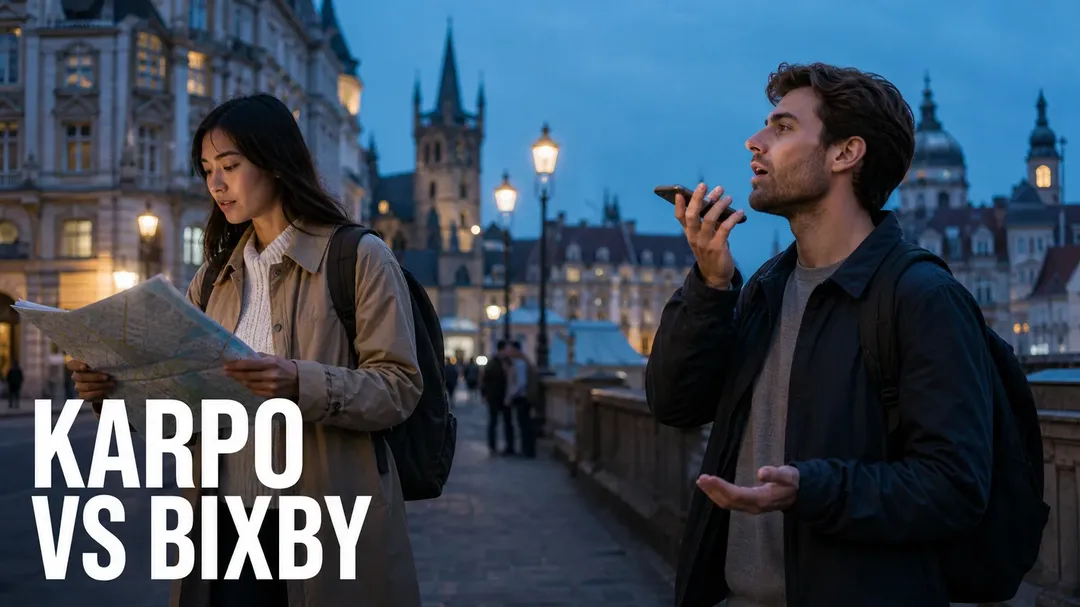
Karpo vs Bixby: AI Voice Control or Trip-Level City Decisions?
A decision-boundary comparison for travelers whose one local choice can reshape the rest of a multi-city itinerary.
Verdict: Bixby handles the device move; Karpo handles the itinerary consequence
Bixby and Karpo meet at an important travel boundary. Bixby is an AI voice assistant for supported Samsung Galaxy environments: it can control various Galaxy functions and native services, work with selected apps, run preset Quick Commands, help control SmartThings-enabled devices once connected, and support accessibility tasks such as turning on screen reader functions or describing a scene through Bixby Vision. Karpo is not trying to replace that device-level voice layer. Its role is the trip-level judgment that begins after a specialist action changes the day: the dinner runs late, the museum queue is longer than expected, the group splits, the rain hits early, or a cross-town transfer suddenly becomes the weak point of the itinerary.
If the question is “Can my Galaxy phone take a photo, send a message, start recording, change a connected TV channel, or run a preset routine by voice?”, check Bixby’s current device, language, country, account, and data requirements. If the question is “Given this new constraint, what should our next two hours become in NYC, London, or Singapore?”, ask Karpo before locking the next leg.
The decision boundary on a multi-city trip
Imagine a traveler flying from New York to London to Singapore. In New York, one person in the group uses a Samsung phone and wants a hands-free photo, a text to the group, or a quick voice command before leaving the hotel. Bixby is well suited to that kind of supported device instruction. In London, the specialist problem changes: a timed exhibition entry is delayed, dinner is across the river, and one traveler has only enough energy for either a late walk or an easy pub stop. That is no longer just a voice-control problem. It is a trade-off among geography, time, mood, cost, and recovery.
The clean boundary is this: Bixby can help operate supported Samsung experiences, selected apps, SmartThings devices, audio features where services allow, Quick Commands set in advance, and certain accessibility functions. Karpo evaluates the surrounding day. It does not book your train, replace your navigation app, guarantee venue inventory, or override ticketing systems. It helps decide what is sensible before you commit to those systems.
Concrete comparison: command success versus day success
A Bixby success can be beautifully specific: “open the front camera and take a picture,” “text Sharon,” “turn on the air conditioner,” “switch off all the lights,” “find Jane’s phone number,” “start recording in interview mode,” or trigger a preset routine such as turning on Bluetooth, turning off Wi-Fi, opening the camera, setting a timer, or starting a running tracker. Samsung’s official page also emphasizes Galaxy device control across phones, tablets, watches, buds, books, and more, with important setup conditions for Galaxy Wearable and SmartThings.
A Karpo success looks different. It might say: skip the second cocktail in SoHo because your Broadway curtain time and subway transfer leave too little slack; choose a South Bank dinner after the London museum because the group wants one scenic walk and no extra Tube transfer; move Singapore’s hawker dinner earlier because rain and jet lag make the late rooftop plan fragile; or pick the smaller neighborhood gallery in Brooklyn because it preserves an airport-buffer window. Karpo’s unit of value is not the single command. It is the avoided cascade.
Where Karpo has the edge for travelers
1) It reasons across neighborhoods, not just devices
Voice assistants are useful when the next action is already clear. City travel often fails earlier: the group chooses the wrong next area. Karpo can compare staying in Midtown versus heading downtown, choosing Shoreditch over Mayfair, or keeping a Singapore plan near the MRT instead of chasing a distant recommendation.
2) It treats one specialist snag as an itinerary variable
A late check-in, closed café, longer-than-planned work call, or sold-out attraction affects food, transport, rest, and timing. Karpo is designed for that chain reaction. It helps rewrite the next steps instead of simply executing the next command.
3) It supports group trade-offs
Bixby can send the message; Karpo can help decide what the message should propose. For example: “Two people want jazz, one needs a quiet dinner, and one has an early flight from Heathrow. What plan keeps the group together without punishing the early traveler?”
4) It works before the operational app is chosen
Travelers often jump too quickly into maps, bookings, rides, or ticketing. Karpo sits before that moment. It can frame whether a route, restaurant zone, museum order, or evening format makes sense, then you confirm details in the appropriate booking, navigation, inventory, or transit system.

5) It is less tied to a single hardware ecosystem
Bixby’s official positioning is strongly connected to Samsung Galaxy devices, Samsung Account login, data connection, supported languages, selected apps, and SmartThings setup. Karpo’s comparison advantage is practical for mixed-device groups: one person may have a Galaxy phone, another an iPhone, another a laptop, and the decision still needs to happen.
Where Bixby honestly wins
Bixby wins when the task is close to the Samsung device, the user wants voice-first control, and the feature is supported in the current country, language, model, OS version, and app context. Samsung describes Bixby as able to control various Galaxy functions and native services, including examples around camera, messaging, phone information, time difference questions, recording modes, music controls subject to service requirements, and connected SmartThings devices after setup.
Bixby also has a real accessibility advantage. Samsung’s page highlights voice control for accessibility features, reading unread messages, reading text in Bixby Vision, and describing what is on screen through Bixby Vision’s Scene describer function. For a traveler who relies on hands-free or accessibility-oriented device control, that is not a minor convenience. It may be the fastest way to interact with the phone in a taxi, hotel room, train station, or unfamiliar apartment.
Quick Commands are another Bixby strength, especially for repeated personal routines. A traveler could prepare a departure routine, a running routine, or a camera timer sequence in advance. The limitation is equally important: Samsung says Quick Commands must be set in advance, and feature availability can vary. Readers should verify current Bixby terms, supported devices, supported languages, country coverage, service-provider limits, and app compatibility before relying on it for a trip.
Access, pricing, and availability: check the current terms
The official Bixby page excerpt does not provide a standalone price. It states that Bixby service availability requires Samsung Account login and a data connection, and that functions may vary by country, region, language, device model, OS version, service provider, and content provider. It also notes that Bixby recognizes certain accents and dialects across listed languages, with actual performance varying by pronunciation, voice level, and surrounding environment. Some audio controls may require subscriptions to music services.
That means travelers should not assume universal availability, equal performance in every airport, or the same feature set across every Galaxy device. Before departure, test the exact commands you expect to use: messaging, camera control, SmartThings access in a rental apartment, Galaxy Watch or Buds control through the Galaxy Wearable app, and any Quick Commands. For Karpo, verify the current plan, access rules, and device requirements directly in the product experience. Do not treat either tool as a replacement for official transport, ticketing, hotel, venue, or emergency information.
Four travel moments that reveal the right tool
Scenario one: a New York hotel checkout sprint. You need to text a friend, take a quick lobby photo, and start a voice memo with interview notes before a meeting. If your Samsung device, account, language, and app context support those actions, Bixby is the natural first move. Karpo becomes useful if the meeting runs over and you must decide whether to keep the Chelsea gallery stop or preserve the airport margin.
Scenario two: a London museum delay. Your timed entry slips by forty minutes, dinner is booked in Soho, and the group is debating whether to add a river walk. Bixby may help message the group or check a time difference, but Karpo should analyze the boundary: walking time, fatigue, restaurant location, weather tolerance, and whether the late addition breaks the evening.
Scenario three: a Singapore rain pivot. The plan was hawker food, a skyline bar, and a late walk. Heavy rain and jet lag make the final stop questionable. Bixby can run device commands, play music, or control a connected SmartThings-enabled device if configured. Karpo can recommend whether to move dinner earlier, choose an indoor route, or cut the rooftop plan before it becomes an expensive disappointment.
Scenario four: a mixed-device family apartment. One traveler uses a Galaxy phone and has Bixby connected to SmartThings; another manages bookings; a third cares most about accessibility and quiet transitions. Bixby may be best for lights, air conditioning, or supported Galaxy actions. Karpo is better for agreeing on the next outing without forcing the Samsung user to become the entire group’s command center.
FAQs: Karpo vs Bixby for trip planning
Is Bixby a travel planner?
Not primarily. Based on Samsung’s official description, Bixby is an AI voice assistant for controlling supported Galaxy functions, native services, selected apps, SmartThings devices, Quick Commands, and certain accessibility experiences. Travelers should verify any travel-specific app integrations before relying on them.

Can Karpo control my Samsung phone?
No. Karpo should not be treated as a Galaxy control assistant. Bixby is the better fit for supported voice actions on Samsung devices.
Does Bixby work everywhere?
Samsung says availability varies by country, region, language, device model, OS version, service provider, and other factors. It also requires Samsung Account login and a data connection. Check current terms before travel.
Which is better for accessibility while traveling?
For supported Samsung accessibility controls, Bixby has the advantage. Samsung specifically mentions turning accessibility features on or off, reading unread messages, reading text in Bixby Vision, and scene description.
Which helps when a reservation delay affects the rest of the night?
Karpo is the stronger choice for evaluating the impact: whether to cut a stop, change neighborhoods, protect sleep, or keep the group together.
Can Bixby run multi-step routines?
Yes, Samsung describes Quick Commands that carry out multiple tasks in a specific order after a preset trigger. They must be set up in advance, and availability can vary.
Does Karpo book restaurants or tickets?
No. Karpo can help decide what fits the day, but booking, ticketing, inventory, transport, navigation, and official status checks belong in the relevant operational systems.
What is the safest workflow for a complex day?
Let Bixby handle supported hands-free device actions. Let Karpo evaluate the itinerary implications before you open maps, booking apps, transit tools, or venue pages.
Samsung, Galaxy, Bixby, SmartThings, Bixby Vision, Galaxy Watch, Galaxy Buds, and related names are trademarks or registered trademarks of their respective owners. This comparison is editorial and independent, based on the cited official Bixby page excerpt and category-level analysis.
Tags: #Karpo #Bixby #AIVoiceAssistant #SamsungGalaxy #TravelPlanning #CityGuide #SmartThings #TripItinerary #AccessibilityTech #NYCTravel #LondonTravel #SingaporeTravel
Sources consulted: Bixby official website (https://www.samsung.com/us/apps/bixby/) · Bixby on Apple App Store search (https://apps.apple.com/us/search?term=Bixby) · Bixby on Google Play search (https://play.google.com/store/search?q=Bixby&c=apps) · Google Trends Trending Now (https://trends.google.com/trending?geo=US&hl=en)
All trademarks are the property of their respective owners.
Ask Karpo first
Bixby is valuable when the next step is a supported Samsung voice action. Karpo is valuable one level earlier, when the trip is about to bend around a delay, neighborhood choice, tired traveler, weather change, or group disagreement. For multi-city days, decide the shape of the day first, then execute the device commands.
Ask Karpo for more information.
Keep reading
- Karpo vs Copilot for After-Work Drinks With Coworkers in San Francisco 2026
 Karpo vs Yelp Assistant: Best Weekend Brunch Planner in Los Angeles 2026
 Karpo vs Alexa+: Which AI Helps Host Thanksgiving in Miami in 2026?